What is SOLIDWORKS Simulation?
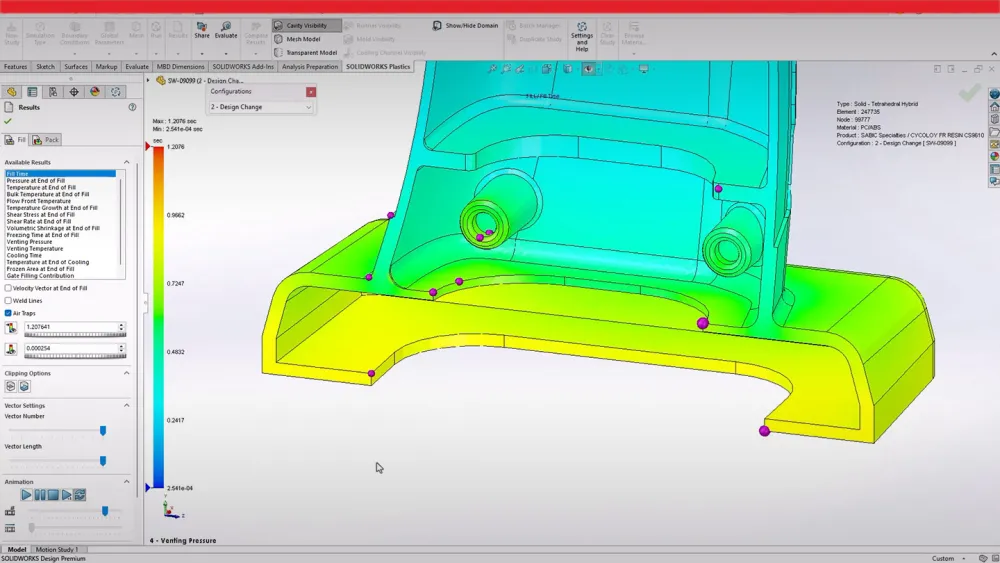
SOLIDWORKS Simulation is an integrated analysis and testing solution that allows engineers to validate designs virtually before physical prototyping. It helps identify design weaknesses, reduce material costs, and improve product reliability by simulating real-world conditions directly within the SOLIDWORKS environment.
Key Features of SOLIDWORKS Simulation
Structural and stress analysis
Motion and dynamic studies
Thermal and fatigue analysis
Flow and pressure simulation
Fully integrated with SOLIDWORKS 3D CAD
Accurate, production-ready results
Benefits of SOLIDWORKS Simulation
Reduce physical prototyping costs
Detect design issues early
Improve product safety and performance
Shorten development cycles
Make data-driven engineering decisions
Who Should Use SOLIDWORKS Simulation?
SOLIDWORKS Simulation is ideal for:
Mechanical engineers
Product designers
Manufacturing teams
R&D departments
Engineering consultancies
Frequently Asked Questions
SOLIDWORKS Simulation is used to test stress, motion, thermal behavior, and real-world performance of products before manufacturing.
Yes. SOLIDWORKS Simulation works directly inside SOLIDWORKS 3D CAD, allowing fast and accurate design validation.
SOLIDWORKS DESIGN
The industry standard 3D CAD solution, complete with cloud functionality that brings real-time collaboration and secure file management to your workflows.
Standard
Get up to speed quickly and benefit from this powerful 3D design and manufacturing solution. Along with part, assembly, and 2D drawing functionality, specialized tools are included for sheet metal, weldments, surfacing, molds, product configuration, design analysis, DFM, and CAM. CAM included with an active subscription.
Professional
SOLIDWORKS Professional builds on the capabilities of SOLIDWORKS Standard with ECAD/MCAD collaboration, automated cost estimation, collaboration capabilities, design and drawing checking, a sophisticated components and parts library, and advanced photorealistic rendering.
Premium
SOLIDWORKS Premium builds on SOLIDWORKS Professional by adding structural and motion analysis capabilities, advanced surface flattening, reverse engineering, and electrical cable and pipe routing functionality.
Ultimate
SOLIDWORKS® Ultimate provides a holistic approach to expand into all aspects of product development. A foundational solution for professional designers and engineers, SOLIDWORKS Ultimate builds on 3D design by laying the groundwork for simulation, manufacturing, marketing, and management tools that eliminate silos and accelerate your product development processes.